Many teams pick Cognism alternatives by comparing database size and headline pricing. That's usually the wrong starting point. Switching data providers rarely fixes a pipeline problem on its own. If records are stale, campaigns lack deliverability infrastructure, or nobody owns follow-up, a bigger database just creates a larger list of unfinished work.
This roundup judges ten options by what they deliver: the dataset, the verification approach, pricing signals, integrations, and who carries the operational burden after a contact is found. You'll see self-serve platforms, enterprise intelligence systems, enrichment tools, and one managed outbound agency that runs the campaign rather than handing you another login. The practical fit varies across SaaS, ecommerce, agencies, professional services, fintech, and manufacturing.
Pricing signals come from the supplied product notes, not current quotes. Vendor plans, credits, limits, and contract terms change, so confirm them before budgeting. For context on Cognism's role in a revenue stack, see this Cognism overview for revenue teams.
1. Lead Printer
Best for: teams that want outbound meetings but do not want to build prospect research, inbox infrastructure, messaging, and campaign management in-house.
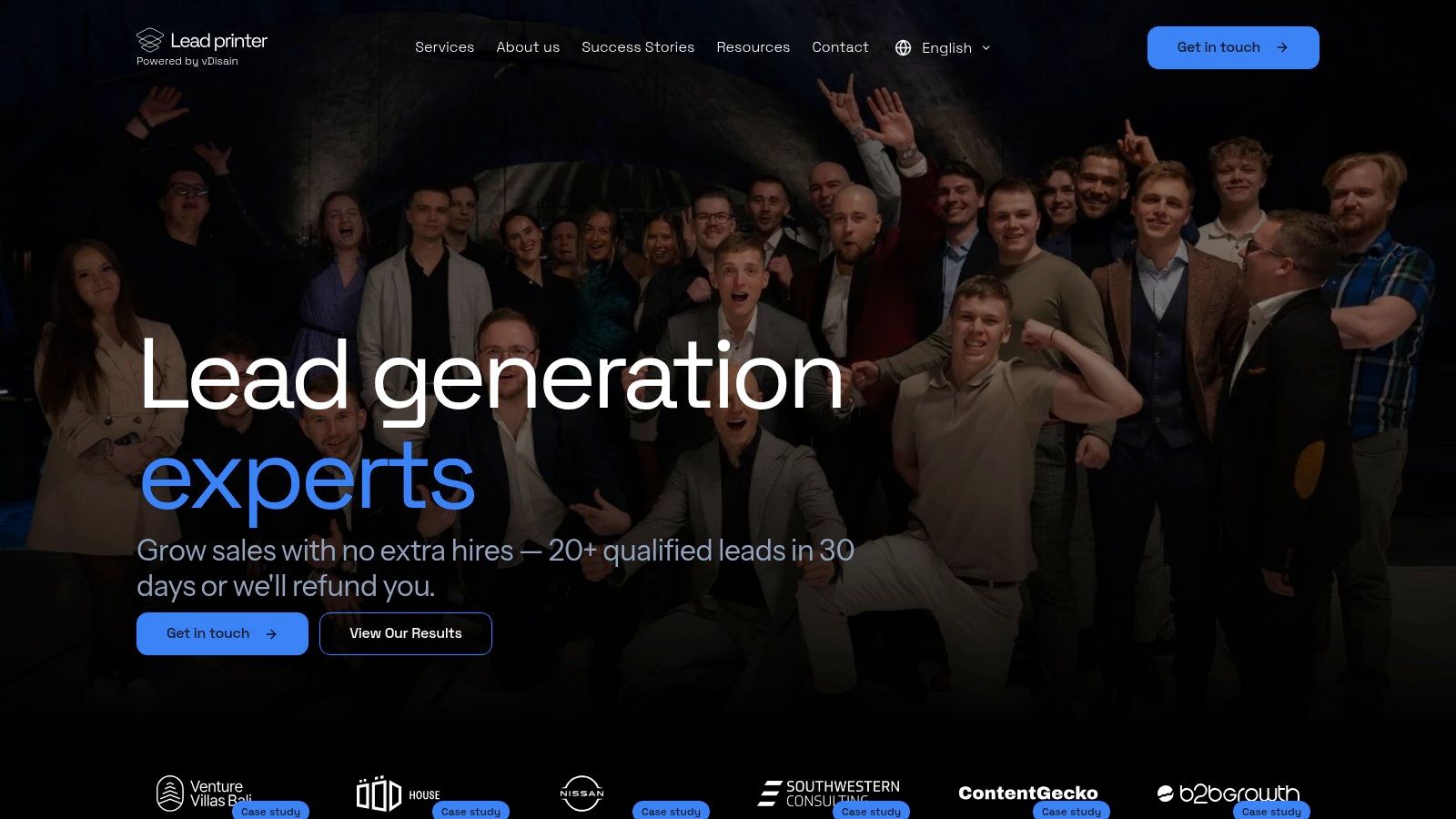
Lead Printer is the one option here that shifts the buying decision from "Which dataset should we license?" to "Do we want to run outbound ourselves at all?" It operates as a managed B2B outbound agency, not a standard contact database. That matters because the actual comparison extends beyond simple record access. It centers on whether your team wants to own sourcing, deliverability, sequencing, reply handling, and qualification, or hand that work to a partner.
The service runs email and multichannel outbound across the US, UK, and EU. Its scope covers domain authentication, inbox setup, warm-up, deliverability controls, prospect research, enrichment, segmentation, copywriting, launch, testing, reply management, and calendar handoff. Research can pull from LinkedIn Sales Navigator, Google Maps, national business registries, targeted websites, custom scraping, and Clay enrichment. Email and LinkedIn outreach can run together, with webinar funnels added when they suit the offer.
Lead Printer says it guarantees a minimum of 20 qualified leads per month. It also says many clients average around 50, and some campaigns reach 200 to 300. The company further reports 7.2 million emails and LinkedIn messages sent, 32,000 leads generated, and more than 2,500 campaigns delivered. Those are company-reported operating figures rather than independently audited results.
Verification and operating model
The practical difference is simple. Lead Printer carries much more of the follow-up work than a data vendor does.
With a self-serve database, your team still has to define the ICP, pull lists, clean data, set up inboxes, write sequences, monitor deliverability, handle replies, qualify interest, and book meetings. Lead Printer takes over most of that operating load. Your team still owns sales calls and closing. The guarantee applies to qualified leads, not revenue.
That model can make more sense than a larger database when precision matters. For narrow markets, unusual job titles, specific technology footprints, or tightly defined geographies, a smaller researched list built from several sources is often more useful than exporting a broad list and hoping SDRs clean it later. The same logic matters in EU campaigns, where localization and lawful outreach practices usually need closer handling than teams expect.
The company describes a typical setup period of three to four weeks and a usual three-month minimum engagement. One-month projects come with an added setup fee, according to the company information provided. That makes Lead Printer a weak fit for a low-commitment test. It is better suited to teams that want an outbound channel with execution attached.
Practical rule: Compare Lead Printer with the full cost of an outbound function, not only with a database subscription.
If you are evaluating Lead Printer's lead-generation software, the trade-off is control versus execution. A self-serve platform gives your team faster day-to-day changes and direct list access. Lead Printer gives up some of that control, but it removes the operational work that usually slows outbound programs first: list building, list cleaning, infrastructure, copy, sequencing, and inbox management.
Pros
- Managed execution: Research, enrichment, copy, infrastructure, outreach, qualification, and handoff run inside one service model.
- Outcome protection: The qualified-lead guarantee includes extension and refund terms if agreed targets are missed.
- Regional coverage: Campaigns can target the US, UK, and EU, with localized messaging when needed.
- Useful fit across sectors: The model can work for B2B SaaS, ecommerce and payments, professional services, manufacturing, and agencies.
- Clear limitation: Your team still needs to run meetings well and close the pipeline.
Choose it when: You want qualified outbound conversations and do not want to hire or coordinate SDR, data, deliverability, and campaign resources separately.
Avoid it when: You already have strong outbound operators and mainly need a database your team can run internally.
Website: Lead Printer managed outbound service
2. ZoomInfo
ZoomInfo is usually the option teams shortlist when Cognism feels too narrow and a basic contact database will not cover the job. It is built for organizations that want company and contact data, direct dials, technographics, intent signals, org charts, and workflow connections in one enterprise system.
That scope is the appeal.
For a mature revenue team, ZoomInfo can be useful well beyond prospecting. RevOps can push records into Salesforce or HubSpot, sales teams can work from enriched account views, and operations can use APIs and integrations to control routing, enrichment, and handoffs across a larger stack. The modular setup also matters. A company can buy for sales, marketing, operations, or talent use cases without forcing every team into one motion.
The catch is not hard to spot. Pricing is quote-only, and that changes how you evaluate it. Instead of comparing a visible plan against another visible plan, you are comparing proposed bundles, credits, seats, exports, and contract terms that may differ a lot by use case. I would treat ZoomInfo as a procurement project, not a quick self-serve tool decision.
That also affects the comparison with a managed outbound service. ZoomInfo gives your team more data and more workflow control. Your team still carries the follow-up work. Someone still has to define the ICP, test record quality in priority markets, build lists, set up outreach, manage deliverability, handle replies, and turn data into meetings. If your main problem is execution capacity, software alone will not remove it.
ZoomInfo separates cleanly from options like Lead Printer. One gives you a data and workflow system your operators run. The other runs outbound for you. That distinction matters more than feature count if the buying question is really, “Do we need better data, or do we need someone to carry the campaign?”
Use ZoomInfo when governance, integrations, and cross-functional account intelligence matter more than transparent entry pricing. Pass on it when you want a lighter buying process, clear self-serve costs, or a shorter path from target account to live conversation.
A practical test helps. Pull a sample from the exact regions, roles, and account types you plan to target, then inspect valid-person accuracy, missing fields, duplicate rates, and whether the team has the bandwidth to work the records after purchase.
Pros
- Enterprise depth: Strong coverage across org charts, firmographics, technographics, and intent data.
- Workflow fit: Integrates with established CRM and sales-engagement setups.
- Modular buying: Different teams can buy for different operating needs.
- Pricing limitation: Quote-only pricing makes upfront cost comparison harder.
- Operational limitation: Your team still owns validation, outreach, and follow-up.
Website: ZoomInfo
3. Apollo.io
Apollo.io is usually shortlisted for one reason. It lets a team buy data and run outreach in the same place.
For a lean SDR team, that matters. A rep can build a list, reveal contact details, push prospects into sequences, call from the same system, and track activity without stitching together four separate tools. That makes Apollo attractive for fast testing and for teams that want self-serve access instead of a sales-led buying process. Website: Apollo.io
The trade-off is less about feature count and more about operating discipline. Apollo gives you speed, but your results still depend on how well your team defines the ICP, checks records, sets up sending domains, writes sequences, and handles replies. If follow-up work is the actual bottleneck, an all-in-one platform does not solve it. It just keeps the work inside one interface.
That is also why Apollo should be judged on three points: data verification, pricing transparency, and who carries execution after the list is pulled.
On verification, the main risk is segment variance. Apollo may look strong in one market and less reliable in another. Country, seniority, function, and industry can all change the hit rate. A valid email is not the same as a usable prospect. Teams targeting the US, UK, and EU should test those slices separately instead of assuming a clean search result reflects full-market quality.
On pricing, Apollo is easier to access than quote-only enterprise vendors, but the true cost still sits in usage rules, credits, and how much manual cleanup your team absorbs after export or outreach starts. Cheap records get expensive when reps spend time fixing bad fits, deduping accounts, or replacing bounced contacts.
The practical buying question is simple. Do you want software your team runs, or do you need someone else to run outbound for you? Apollo is in the first camp. It can shorten the path from list to sequence, but it does not own campaign strategy, deliverability, personalization, qualification, or meeting conversion.
A useful test is to pull a sample from your actual target accounts, then inspect valid-person accuracy, missing fields, duplicates, and whether location and seniority hold up under manual review.
Where Apollo fits best: self-serve prospecting plus outreach for teams with SDR capacity.
Where it fits poorly: campaigns that need hands-on regional verification or outsourced execution after the data is sourced.
4. Lusha
Lusha works best as a rep-side tool, not as the system that carries outbound from targeting through booked meetings. The appeal is obvious. A seller finds the right person, pulls a contact detail, and pushes that record into the next step with minimal setup. For small teams, that makes it one of the easier tools to trial and adopt through Lusha.
The trade-off shows up in how the work is divided. Lusha helps with fast contact retrieval, especially around browser-based research and LinkedIn-adjacent prospecting. Your team still owns list design, segmentation, messaging, deliverability, reply handling, and qualification. If you want a tool your SDRs run themselves, that can be fine. If you want outbound executed for you, Lusha is the wrong category.
It is strongest in narrow, rep-led workflows. AEs, SDRs, and recruiters often need one missing email or mobile number for an account they already know matters. Lusha fits that use case well. It can also support a larger stack as a top-up source when a core database misses a contact.
Pricing is clearer than with vendors that force a sales conversation before you can estimate cost. Even so, transparency is only partial if usage depends on how credits are applied across different reveal types. Teams that rely heavily on phone-based outreach should watch consumption closely, because the bill is only half the story. The other half is the time reps spend deciding whether the revealed person is usable.
That verification burden sits with the buyer. A found contact can still be the wrong person, at the wrong company, in the wrong region, or outside the seniority range your campaign needs. Bounces, duplicates, unsubscribes, and job changes also need a process. Lusha helps you get data. It does not remove the operational cleanup that follows.
For that reason, I would judge Lusha less as a database replacement and more as a speed tool. It is useful for one-off lookups and fast enrichment. It is less convincing as the foundation for a large, segmented outbound program where data verification and follow-up discipline determine whether the campaign works.
Use Lusha when reps already know which accounts to pursue and need quick contact details. Skip it when the bigger problem is execution, because the software does not carry the follow-up work after the record is found.
Website: Lusha
5. UpLead
UpLead is one of the easier Cognism alternatives to price and operate. The appeal is simple: one credit gets one contact, which makes list costs easier to forecast than tools that split usage across separate reveal types, exports, and enrichment actions. For smaller teams that want fewer billing surprises, that matters. Published pricing on UpLead also makes it easier to decide whether it belongs on the shortlist before talking to sales.
That simplicity does not answer the harder question, which is whether the record is good enough for your campaign.
UpLead is strongest for teams that already know how to run outbound and mainly need a cleaner way to source contacts. If your process is account selection, list build, enrichment, copy, sending setup, reply handling, and meeting qualification, UpLead only covers one part of that chain. Someone on your side still has to own the rest.
I would judge it on three things.
First, data verification. UpLead positions itself around verified contact data, and that is useful. But valid contact details and target fit are different checks. Your team still needs to confirm the company, role, seniority, geography, and whether there is any real reason to reach out now.
Second, pricing transparency. UpLead does better here than quote-only vendors. You can usually estimate spend without a long procurement cycle. The trade-off is that transparent entry pricing does not guarantee broad coverage, flexible enterprise terms, or the phone depth some teams want.
Third, who carries the follow-up work. UpLead does not run campaigns, localize messaging, protect sending domains, manage inboxes, or turn replies into qualified meetings. That matters for Lead Printer's target markets, where execution quality often matters more than adding another data source.
Use UpLead if you want a straightforward database with clearer credit logic and you have operators in-house who can turn records into pipeline.
Skip it if the real bottleneck is execution. In that case, a managed outbound agency is usually the better comparison, because the question is not only who supplies the data. It is who owns the work after the contact is found.
Website: UpLead
6. SalesIntel
SalesIntel fits buyers who care more about verified records than fast self-serve list building. The pitch is straightforward: human-verified contacts, direct dials, and Research-on-Demand for records your team cannot easily find through a standard database. For US-heavy outbound teams, that can be useful. For teams that want instant pricing and minimal procurement, it usually is not.
What matters here is not just data access, but how much work stays with your team after the record is found.
SalesIntel covers a wider operating need than simple contact lookup. It supports bulk enrichment, ongoing data updates, and integrations across CRM, marketing, and sales engagement tools. AdsIntel also pushes it toward account-based marketing use cases, so it can support prospecting and account selection inside the same revenue stack.
The trade-off shows up at evaluation time. Pricing is quote-only, which means budgeting takes a real sales conversation. Ask about seats, enrichment caps, export rules, API access, refresh logic, Research-on-Demand scope, and what any unlimited packaging allows in practice.
Human verification helps, but it does not remove the follow-up burden. Someone still has to define target accounts, decide when a record deserves manual research, review whether the contact is the right buyer, and manage suppression or correction workflows once outreach starts.
That makes SalesIntel a better fit for operator-led teams than for companies trying to outsource execution. If your bottleneck is contact quality, it can be a strong option. If your bottleneck is writing campaigns, setting up infrastructure, handling replies, and turning interest into qualified meetings, a managed outbound agency is the closer comparison.
A simple way to judge it:
- Data verification: Stronger than many tools on difficult records, especially when standard database coverage falls short.
- Pricing transparency: Weak. You will not get a clean budgeting picture without talking to sales.
- Who carries the work after purchase: Your team does. SalesIntel supplies data and enrichment, not campaign execution.
Use it when you need human-assisted research and can manage the outbound process internally.
Skip it when you want transparent pricing or someone else to run the campaign after the data is delivered.
Website: SalesIntel
7. RocketReach
RocketReach works best as a gap-filler.
If a rep already knows the person or company they want, and the main database comes up empty, RocketReach can be a useful second pass. It supports email and phone discovery, CSV enrichment, a Chrome extension, and integrations with Salesforce, HubSpot, Outreach, Salesloft, Bullhorn, and Zapier. For smaller teams, that can be enough to support list building without buying into a larger sales data platform.
The catch is that its pricing model needs a closer read than the plan table suggests. Monthly lookups and annual exports are not the same thing, and that difference matters if your workflow depends on pushing records into another system. The entry tier also excludes phone numbers, so teams comparing it with broader contact databases should check what they are buying before treating the lower-priced plan as equivalent.
That trade-off shows up quickly in day-to-day use. A browser lookup helps when a rep needs to confirm one contact. It is less helpful if the team needs high-volume exports, broader verification confidence, or a repeatable process for handing clean contacts to outbound.
A lookup isn't the same as a campaign-ready contact. Check the export rules, verification status, and role fit before treating a found record as usable pipeline input.
Here is the buying question. Are you purchasing an extra research source, or are you trying to remove outbound work from your team?
RocketReach only solves the first problem. Your team still owns list criteria, cleanup, sequencing, sending setup, reply handling, and qualification. That makes it more suitable for operator-led teams that can absorb the follow-up work, and less suitable for companies deciding between a tool they run and a campaign someone else runs.
A quick decision lens:
- Data verification: Useful for targeted lookups, but still requires review before outreach.
- Pricing transparency: Better than quote-only vendors, but plan details around lookups, exports, and phone access need scrutiny.
- Who carries the work after purchase: Your team does. RocketReach supplies contact data, not campaign execution.
Use it when a focused prospecting workflow needs another lookup source.
Skip it when you need transparent all-in budgeting for outbound, stronger confidence that records are ready to work at scale, or a vendor to run the campaign after the data is found.
Website: RocketReach
8. LeadIQ
LeadIQ fits a specific kind of outbound team. It works well when SDRs prospect from LinkedIn, need fast CRM capture, and already have a clear account list. The core value is operational speed, not broad database coverage or done-for-you pipeline creation.
Used that way, it can save reps time. LeadIQ helps capture contacts, reduce duplicate record creation, map fields, and push records into systems such as Salesforce, HubSpot, Outreach, and Salesloft. For account-based teams, that matters because the handoff from research to execution is often where rep time gets lost.
The buying risk is easy to miss. LeadIQ can look affordable at the seat level, then get more expensive once phone reveals and credit usage become part of daily workflow. Check what a rep consumes in a normal week, especially if phone data is part of the motion. Then compare that cost with the amount of manual cleanup still left after capture.
LeadIQ mainly improves the front end of prospecting. Your team still carries the rest.
Reps or revenue operations need to verify whether a contact is usable, decide if the role fits the campaign, write the outreach, manage sequencing, watch deliverability, handle replies, and qualify interest. If your real problem is low productivity inside a rep-led outbound process, LeadIQ can help. If your real problem is that nobody on the team owns outbound execution, it will not remove that burden.
A practical way to judge it:
- Data verification: Useful for capture and enrichment, but records still need review before they are treated as campaign-ready.
- Pricing transparency: More visible than quote-only vendors, but credits, phone reveals, and usage assumptions need close checking.
- Who carries the work after purchase: Your team does. LeadIQ supports rep workflows, it does not run campaigns.
Choose LeadIQ when SDRs already know who they want to reach and need a faster path from LinkedIn research to usable records.
Skip it when you need higher-confidence contact data at scale, simpler budgeting for heavy phone usage, or a provider that researches, contacts, qualifies, and books meetings for you.
9. Clearbit
Clearbit fits best in a rev ops or marketing stack where enrichment drives routing, scoring, and account selection. If the job is outbound prospecting from scratch, it usually sits upstream of the actual work, not at the center of it.
That distinction matters. Teams with solid first-party data can use Clearbit to enrich records, identify visiting companies through Reveal, and pass better account context into HubSpot or another system. In practice, the value comes from cleaner segmentation and faster handoffs between marketing and sales, not from replacing the rest of the outbound motion.
The trade-off is straightforward. Pricing is quote-based, which makes budget planning less predictable, and it is not the tool you buy to solve campaign execution. A team still needs sending infrastructure, message development, ownership of replies, and someone to decide which signals deserve action.
For that reason, I would judge Clearbit on workflow design more than contact coverage. Data verification here is about whether the enrichment improves routing and prioritization in your CRM, not whether a rep gets a ready-to-sequence list of direct dials. If your process depends on several tools working together, Clearbit can play the enrichment layer inside a broader build, including setups similar to this Clay lead-generation workflow.
What your team still owns after purchase:
- Field logic and verification: Map attributes correctly, check duplicates, and confirm that enriched records are usable in your workflows.
- Pricing clarity: Quote-based packaging means procurement needs to ask detailed questions before committing.
- Follow-up work: Marketing ops, rev ops, or sales still have to route leads, trigger plays, send outreach, and qualify responses.
So the decision is usually simple.
Choose Clearbit if the main problem is poor enrichment inside an existing GTM system, especially when marketing and rev ops already run structured workflows and need better firmographic and visitor data.
Skip it if you want a standalone Cognism substitute for direct outreach, clearer self-serve pricing, or a provider that carries execution after the data is delivered.
Website: Clearbit
10. Seamless.AI
Seamless.AI fits teams that care more about top-of-funnel volume than polished workflow design. If the job is simple, find a lot of contacts fast, test messaging, and let SDRs sort the list later, it can be a practical Cognism alternative. The Chrome extension and credit-based research flow are built for that style of prospecting, and the low-friction entry point makes it easier to test than quote-heavy vendors.
That free starting point is useful. It lets a team check whether the search experience, extension, and list-building process match how reps prospect before a larger commitment.
The harder part starts after the trial. Paid pricing is not consistently clear in public, so buyers need to treat the contract review seriously. Ask how credits are counted, whether exports are limited, how invalid records are handled, what renewals look like, and which terms change by plan. For teams comparing tools side by side, that matters because hidden usage rules can erase the value of a cheaper starting point.
Verification is also very much your problem.
Seamless.AI helps reps gather names, emails, and phone fields, but your team still has to test data by persona, geography, and segment. In practice, that means checking validity, missing fields, duplicate rates, and bounce risk before lists reach sequencing. If you run outbound internally, that follow-up work may be acceptable. If you do not, the more relevant comparison may be a managed B2B prospecting service rather than another database.
That distinction matters most for agencies and lean in-house teams. One client may want broad coverage, another may need tighter compliance rules, cleaner regional data, or stricter seniority filters. A tool like Seamless.AI can supply raw list volume, but it does not carry list QA, campaign setup, or reply handling for you.
Use Seamless.AI when you already have SDR capacity, you are comfortable validating records yourself, and you want a fast way to build large prospect lists.
Skip it when pricing clarity is a priority, when regional accuracy needs close scrutiny, or when your team wants execution carried by a provider rather than managed internally.
Website: Seamless.AI
Top 10 Cognism Alternatives: Feature & Pricing Comparison
| Solution | Core features | Quality & outcomes (★) | Pricing / Value (💰) | Ideal audience (👥) | Unique selling points (✨) |
|---|---|---|---|---|---|
| Lead Printer 🏆 | Email infra & deliverability, prospect research, Clay enrichment, personalized sequences, email+LinkedIn orchestration | ★★★★★ • Guaranteed 20+ qual leads/mo; avg ~50; 32k+ leads; 7–8M outreaches | 💰 Campaign pricing, setup fee, 3‑mo min; cost-efficient vs hiring SDRs | 👥 Mid-market SaaS, ecommerce, services, manufacturing; teams replacing/augmenting SDRs | ✨ Lead guarantee, localized EU outreach, end‑to‑end setup & optimization; certified expertise |
| ZoomInfo | Enterprise contact/company graph, buyer intent (Scoops), Engage sequencing/dialer, integrations | ★★★★★ • Broadest enterprise coverage & depth | 💰 Quote-only; typically mid–five-figure bundles for enterprises | 👥 Large sales/marketing ops, enterprises needing deep org/intent data | ✨ Deep org charts, intent signals, modular product suites |
| Apollo.io | Contact DB + reveals, sequences, in-app dialer/inbox, basic CRM | ★★★★ • Strong self-serve testing & SDR scaling | 💰 Self-serve pricing; high value on SMB tiers | 👥 SMBs, startups, SDR teams wanting all-in-one stack | ✨ Data + outreach in one platform; easy rapid testing |
| Lusha | Chrome extension lookups, email/phone reveals, credit-based plans | ★★★ • Fast LinkedIn-adjacent reveals; variable cost per contact | 💰 Transparent credit plans; pay-per-reveal | 👥 SDRs needing quick LinkedIn lookups & fast trial | ✨ Fast lookup UX; easy to trial across teams |
| UpLead | Verified emails & mobile, technographics, 1 credit = 1 contact | ★★★★ • 95% email-accuracy guarantee; predictable exports | 💰 Published pricing; clear credit model for budgeting | 👥 Teams needing predictable cost-per-contact and clean data | ✨ Email-accuracy guarantee; straightforward credit semantics |
| SalesIntel | Human-verified contacts, direct dials, Research‑on‑Demand, enrichment | ★★★★ • High accuracy, strong US focus | 💰 Quote-based; demo required | 👥 US-focused sales teams prioritizing direct dials & accuracy | ✨ Human verification + research-on-demand; deep enrichment |
| RocketReach | Email/phone discovery, CSV enrichment, Chrome extension, integrations | ★★★ • Transparent pricing; good for ad-hoc/testing | 💰 Published tiers; flexible lookup vs export models | 👥 Small teams, researchers, ad-hoc users | ✨ Clear pricing tiers; flexible person/company search |
| LeadIQ | LinkedIn/Chrome capture, de-duplication, CRM/SEP pushes, credit slider | ★★★★ • Smooth list-capture → CRM UX for SDRs | 💰 Granular monthly credits; seat pricing | 👥 SDR teams running targeted account lists | ✨ Excellent capture-to-CRM workflow; fine-grained credit control |
| Clearbit | Enrichment, Reveal (web de‑anon), fit & intent signals, batch APIs | ★★★★ • Strong for RevOps & marketing pipelines | 💰 Quote-based; per-record/credit pricing | 👥 RevOps, marketing, ABM teams | ✨ Reveal for web visitors + fit/intent scoring to power routing |
| Seamless.AI | Contact DB, Chrome extension, list-building, starter free credits | ★★★ • Good for high-volume lookups and free trials | 💰 Tiered plans; free starter credits; quote for larger tiers | 👥 SDR teams seeking volume & free trial access | ✨ Free starter credits; LinkedIn-adjacent high-volume workflows |
Choosing Between a Data Tool and a Managed Outbound Agency
A database subscription and a managed outbound agency solve different operational problems. Choose a data tool when your team already has SDR capacity, sequencing infrastructure, deliverability knowledge, and enough time to verify records and follow up. Choose a managed agency when you need qualified conversations without building the inbox, list, copy, and campaign process internally.
The ownership boundary matters more than the feature list. A platform may offer enrichment, intent signals, sequences, and CRM integrations, but your team still has to decide who to target, validate whether the data fits the ICP, protect sending domains, write messages, handle replies, qualify interest, and book the right meetings. If those tasks already have clear owners, software can increase productivity. If they don't, software often creates another queue of unfinished work.
Compliance deserves the same attention. By March 2024, the CMS GDPR Enforcement Tracker recorded 2,086 fines with complete information, or 2,225 cases when records with limited details were included, with documented fines totaling approximately €4.48 billion. The same source recorded 612 fines associated with insufficient legal basis and 561 fines associated with general data-processing principles. CMS GDPR Enforcement Tracker data shows why “GDPR compliant” as a label isn't enough. Ask how lawful basis, suppression, transparency, deletion, correction, and regional outreach are handled.
Data freshness also changes the economics. A commonly cited benchmark estimates that B2B contact data decays by approximately 22% annually, meaning job changes, company moves, mergers, and invalid addresses steadily reduce the usable value of an untouched list. The B2B data-quality benchmark supports a practical test: sample 200 to 500 contacts per priority market, then measure valid-person accuracy, email validity, missing fields, duplicate rate, and bounce rate separately.
Before comparing plans, ask:
- What is guaranteed: Is the promise access to records, verified fields, qualified meetings, or something else?
- Who owns infrastructure: Does the vendor configure domains, inboxes, warm-up, authentication, and deliverability safeguards?
- Who owns follow-up: Will your team manage replies and qualification, or does a provider run that process?
- Contract terms: Check minimum term, setup period, renewal, export rules, credit expiration, and refund terms.
- How will you test: Run two or three candidates against the same ICP, markets, roles, and account list.
AI adoption makes workflow fit more important, not less. G2's April 2025 survey of more than 1,000 B2B software buyers found that 60% reported using AI in sales departments or sales processes, while an independent 2025 sales-capability assessment reported that only 16% of salespeople were proficient at using sales technology and gave overall sales-technology effectiveness a score of 42%. G2's AI sales survey points to a simple conclusion: tools only help when teams can operate them inside an actual workflow.
Shortlist two or three options and run a controlled pilot. Compare verified email rate, connect rate, meetings booked, time to launch, personalization-field completeness, and the amount of manual work required. For an agency, also compare cost per usable contact and cost per qualified opportunity, not just the subscription or credit price.
A data tool is the better choice when you want control and already have execution capacity. A managed agency is the better choice when the constraint is operational ownership. Lead Printer sits in the second category. It builds the research, infrastructure, copy, outreach, qualification, and handoff process, while your sales team remains responsible for follow-up and closing. That division should be explicit before you sign any agreement.
Visit sales outreach tools for additional workflow context, then make the comparison against the process you can realistically operate, not the feature list you wish your team had time to use.
Lead Printer builds and runs data-driven email and multichannel campaigns across the US, UK, and EU, including infrastructure, prospect research, personalized messaging, qualification, and calendar handoff. If you're comparing Cognism alternatives because your team needs meetings rather than another database, visit Lead Printer to discuss a managed outbound campaign and its qualified-lead guarantee.