A sales lead sends a healthy volume of emails, sees almost no replies, and immediately blames the copy. The sequence gets rewritten, the subject lines get tested again, and the team still ignores the sending setup. Meanwhile, authentication errors, weak suppression rules, poor mailbox rotation, or rising complaints keep the messages away from the inbox.
That's why the best cold email software isn't the platform that sends the most messages. Your choice determines who owns the sending infrastructure, whether you pay by seat, inbox, or contacted prospect, and how much list building, deliverability work, and reply handling your team must absorb. It also affects whether you can identify a real campaign problem before another domain gets damaged.
This comparison ranks ten platforms by the decision each one forces on the buyer. It covers the practical fit for agencies, founders, SDR teams, and multichannel operators, while pointing out where each tool falls short. Before you write another sequence, make sure your software supports the better cold email strategy your campaign depends on.
1. Instantly
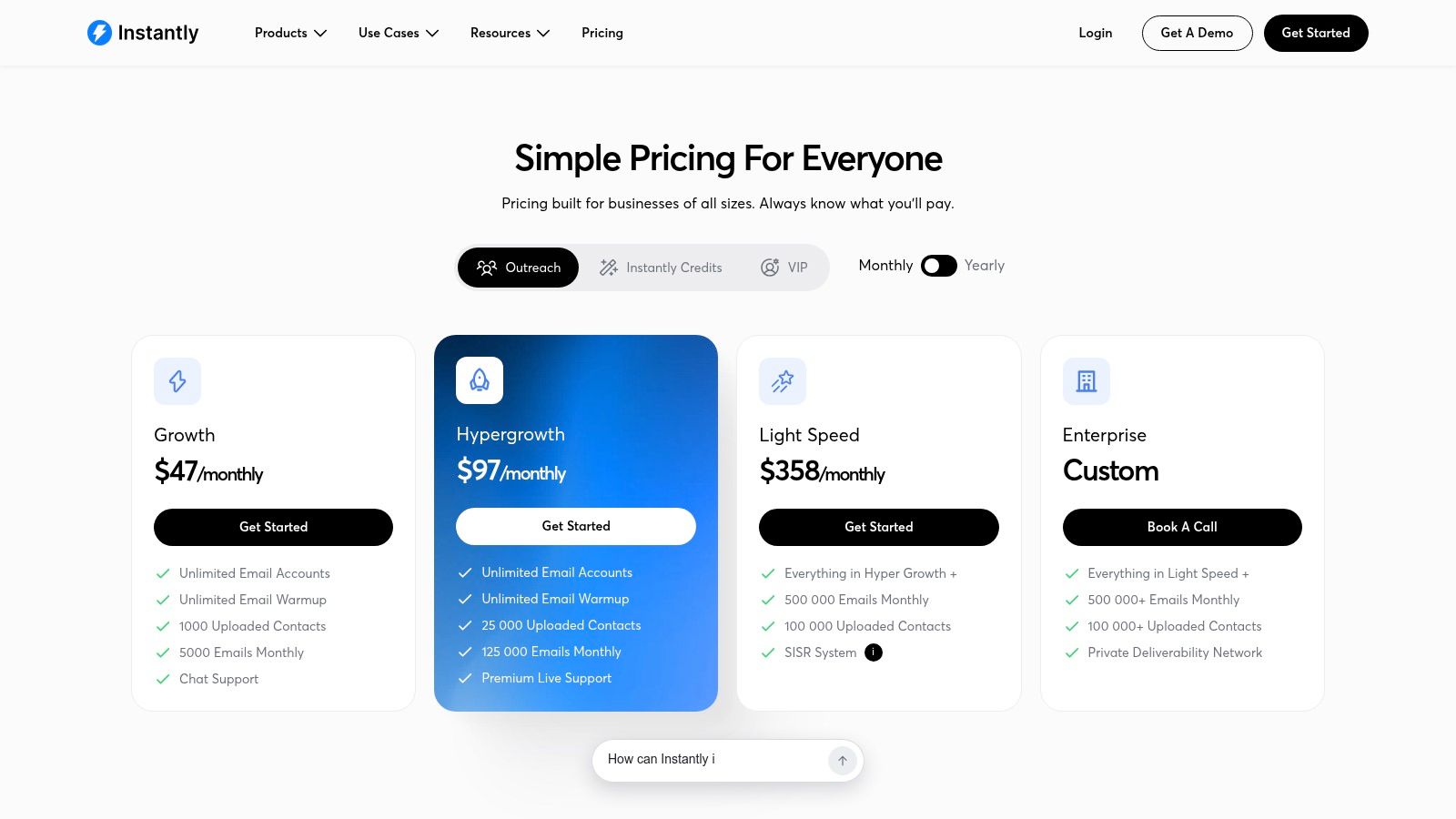
Instantly is a strong choice for agencies that want to control several sending domains without paying for every mailbox or user. Its sending plans support unlimited email accounts and warm-up, which makes it easier to separate client campaigns, rotate inboxes, and keep one underperforming domain from carrying the entire operation.
The platform also combines sequencing with a built-in B2B lead database. Its lead finder and enrichment tools run through Instantly Credits, so an agency can source contacts without immediately adding a separate prospecting platform. That convenience matters when one operator owns list building, campaign setup, and launch.
The decision it forces
Instantly makes you choose between simple sending economics and more detailed cost control. You can scale inbox infrastructure without adding seats, but lower tiers still impose contact and send limits. Once an agency grows beyond those limits, moving to a higher tier may be necessary rather than adding a small amount of capacity.
The credits system creates a second meter. You're managing both outreach capacity and data usage, so the advertised subscription price doesn't represent the whole operating cost if your team enriches large lists.
Practical rule: Treat data credits and sending capacity as separate budgets. A cheap sending plan can become expensive if your campaigns depend heavily on enrichment.
Unibox centralizes replies, while A/B testing helps compare subject lines, offers, or personalization approaches. API access, webhooks, and native integrations make Instantly workable for teams that already have a CRM and want to keep orchestration outside the sending tool. Teams evaluating alternatives can also compare its infrastructure model with these Instantly alternatives.
The main limitation is that Instantly remains primarily an email execution platform. It can support a capable outbound operation, but the team still needs clear ownership for data quality, authentication, suppression lists, and campaign monitoring. Review the current Instantly pricing before buying, because plan limits and included features can change.
2. lemlist
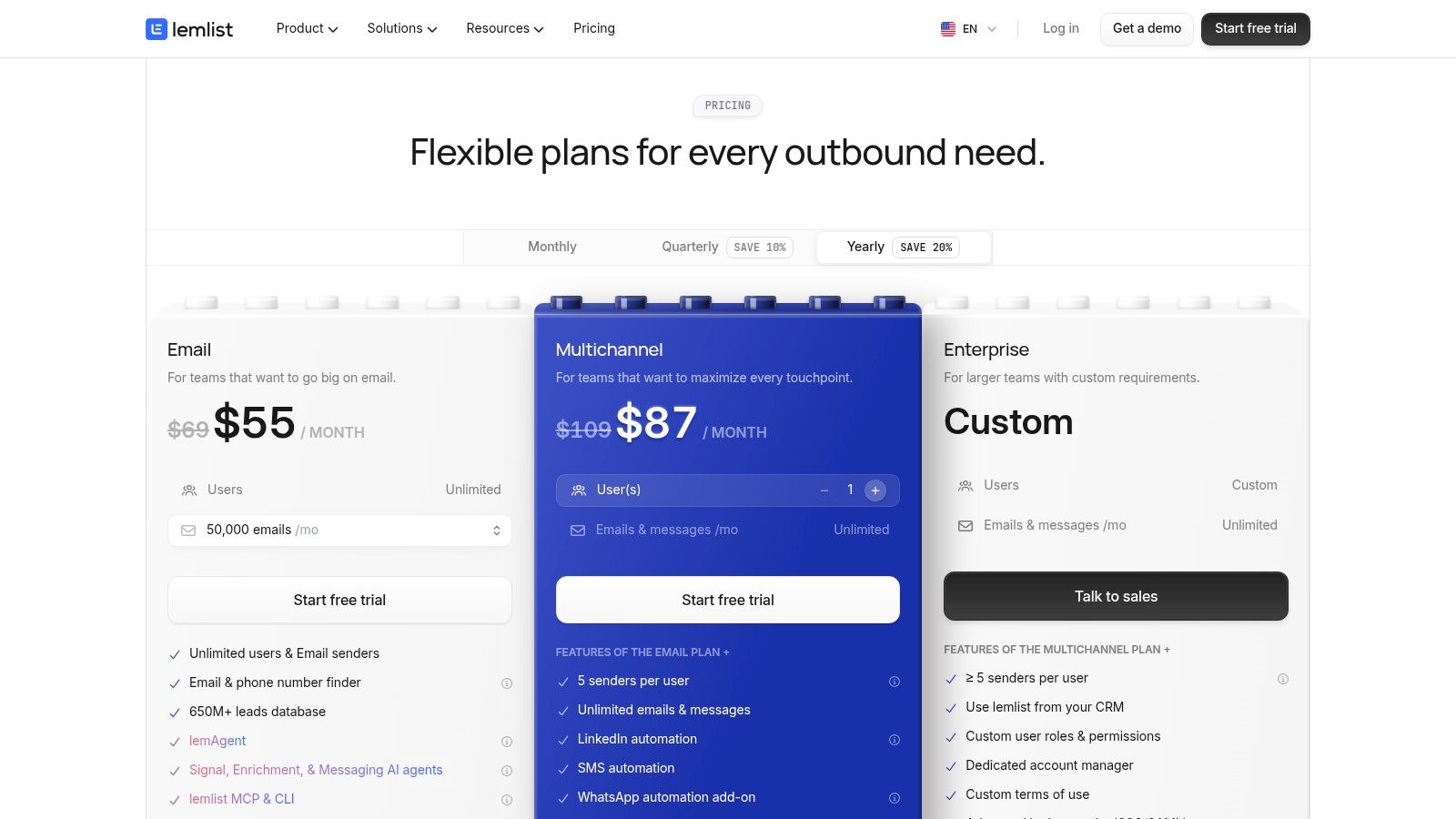
lemlist suits teams that want email to sit inside a broader outbound workflow. Email, LinkedIn, SMS, calls, and a WhatsApp add-on can be coordinated in one environment, so an SDR doesn't have to rebuild the same prospect journey across several disconnected tools.
Its lead database, email and phone finder, verification workflow, and intent signals are closely connected to campaign creation. That's useful for teams that don't want to export a list from one vendor, clean it in another, and then manually map fields into a sequencer. The Deliverability Hub and inbox rotation features give operators a place to inspect sending health before they increase activity.
The decision it forces
lemlist makes the buyer choose whether multichannel consolidation is worth per-user pricing. The model is straightforward for a small SDR team, but costs can become harder to justify as more users need access. Data, AI, and intent features also introduce credit-based usage, so the team must forecast more than seats alone.
That structure works best when reps actively use several channels. If your team only needs email sequences and already owns a reliable data provider, much of lemlist's broader package may go unused.
The unified inbox is practical for managers who need visibility into replies and handoffs. CRM and API integrations also reduce the risk that a positive response stays trapped inside the outreach platform. However, the breadth of the system means onboarding needs real ownership. A team that launches without agreed rules for contact status, opt-outs, and channel escalation can create more workflow noise instead of less.
Use the current lemlist pricing to model the complete cost, including user seats and data consumption. lemlist is a good fit for a team buying a coordinated engagement system. It's a less obvious choice for a lean operator who only wants economical email sending.
3. Smartlead
Smartlead is built around the needs of agencies and high-volume operators. Every plan includes unlimited email accounts, automatic sender rotation, and workspace features for managing multiple clients. That shifts the infrastructure decision toward the agency. You can connect and govern the mailboxes yourself, rather than paying a platform seat for every sending identity.
The product also sells domains, inboxes, servers, and deliverability services inside the application. SmartSenders and SmartServers can reduce the number of vendors involved in setup, although they don't eliminate the need for technical review. Procuring infrastructure is not the same as managing authentication, reputation, and campaign quality.
The decision it forces
Smartlead makes the buyer choose between a modular agency stack and a more bundled platform. The core sending economics are clear, but email verification and parts of the infrastructure are paid add-ons. You'll need to track sending, mailbox, verification, and deliverability costs separately.
That model works well when an agency has an operations owner who understands domains, mailbox rotation, and client workspaces. It's less comfortable for a founder who expects the software to decide which contacts are safe, which domains need a pause, and which campaigns need better targeting.
Client management and optional whitelabel features make Smartlead practical for agencies presenting a managed portal. SmartDelivery adds placement testing, which is more useful than relying only on a delivered event. Still, high-volume campaigns require QA outside the interface. A tool can rotate senders, but it can't rescue inaccurate data, weak offers, or a campaign that produces complaints.
Teams comparing email-first platforms can review this Instantly versus Smartlead comparison. The current Smartlead pricing should be checked alongside add-ons, because the base tier doesn't describe the complete infrastructure bill.
4. Mailshake
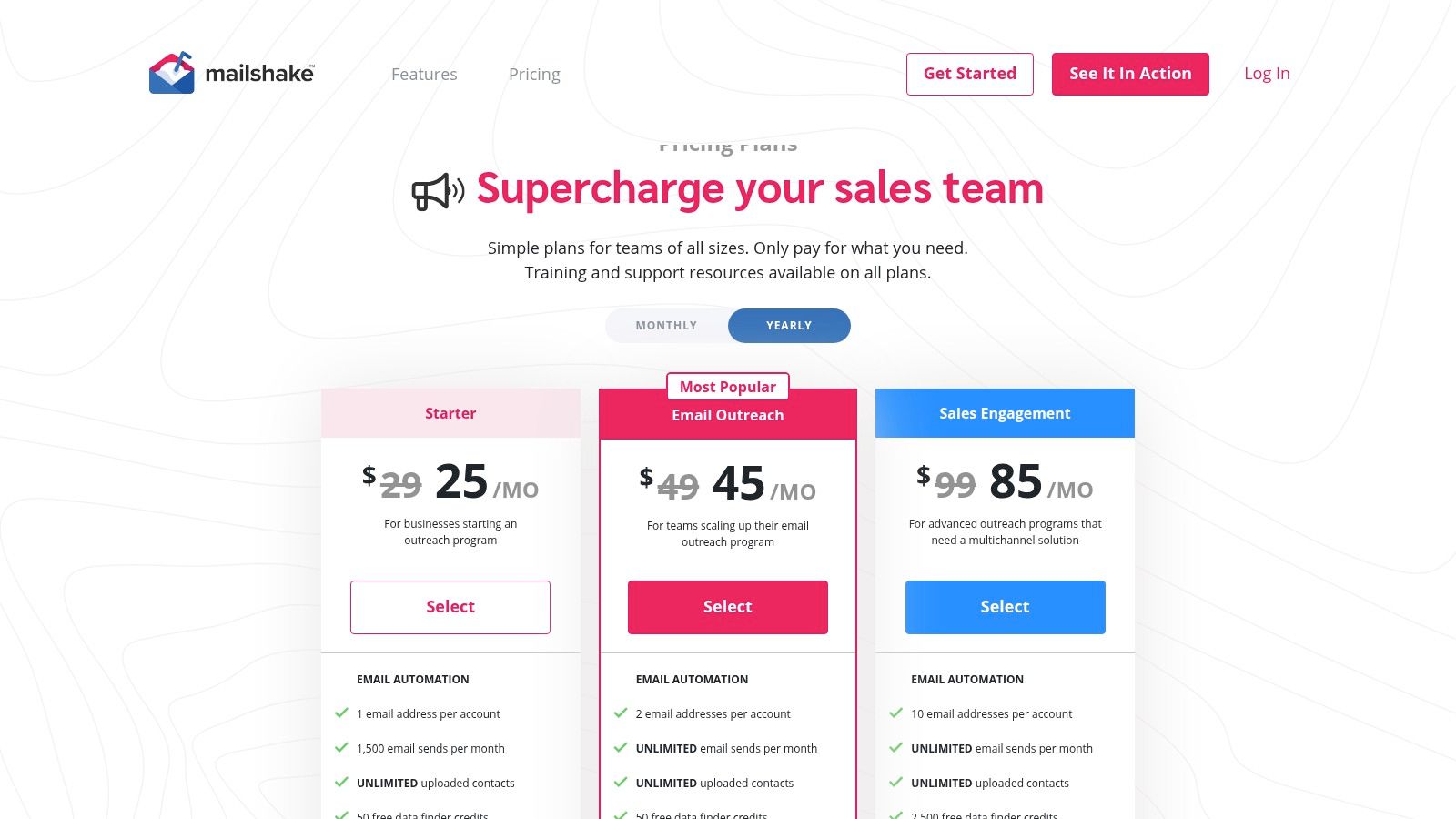
Mailshake is a sensible fit for SMB and mid-market teams that value a familiar sequencer over a large outbound operating system. Its packaging centers on pay-per-user pricing, with unlimited campaigns, warm-up, verification, A/B testing, inbox management, and scheduling controls included across the relevant plans.
The interface is designed for a sales team that wants to build campaigns without hiring a specialist to operate the tool. CRM integrations for HubSpot, Pipedrive, and Salesforce, plus Zapier support, make it easier to move replies and prospect statuses into the systems reps already use.
The decision it forces
Mailshake's main trade-off is the relationship between seats and inboxes. Lower-tier users get one mailbox per user, so a team that needs several sending identities may end up purchasing more seats even when the same people manage the replies.
That's different from platforms where agencies can connect unlimited inboxes under a smaller number of user accounts. Mailshake is therefore easier to budget for a conventional sales team, while multi-domain agencies need to calculate whether seat expansion will distort the economics.
Advanced throttling and scheduling help teams avoid uniform, bursty sending patterns. The native dialer on higher tiers also gives Mailshake a path into calling without forcing every customer into a multichannel plan. On the other hand, there's no free trial, so the buying process gives you less room to test the workflow before committing.
The Ready to Use Mailboxes add-on can accelerate infrastructure setup, but the team should still confirm who owns DNS records, authentication, opt-outs, and reputation review. Check the current Mailshake pricing before deciding whether the per-user model fits your mailbox plan.
Mailshake works when the buyer wants clear packaging and low operational complexity. It's less attractive when the campaign depends on many inboxes managed by a small number of operators.
5. Woodpecker
Woodpecker takes a different position from most seat-based sequencers. Its pricing is based on the number of unique prospects contacted, while team members and email accounts remain included. For agencies, that can make cost planning more closely match campaign activity rather than headcount or mailbox count.
The model is attractive when the agency has several operators, multiple clients, or many sending identities. You are not paying an inbox tax every time a campaign needs another mailbox. You are paying for the people your campaigns reach, which can be easier to connect to list size and client scope.
Prospect-based pricing needs clean lists
The advantage comes with a clear operational requirement. If duplicate records, stale contacts, or poorly segmented lists consume contact capacity, the team wastes part of its allowance. List hygiene isn't an optional admin task under this model. It directly affects the effective cost of outreach.
Woodpecker includes a deliverability toolkit with adaptive sending, audits, inbox rotation, verification, and a free catch-all verification and warm-up quota. Those controls support a careful sending process, but LinkedIn outreach, extra warm-ups, agency functionality, domains, inboxes, and dedicated servers can add separate charges.
A contacted-prospect plan rewards disciplined targeting. It doesn't reward importing every record your data provider can find.
Woodpecker suits agencies that already understand segmentation and want predictable volume economics without per-seat or per-mailbox pricing. It also suits teams running targeted campaigns where each prospect receives a controlled sequence rather than broad, repetitive blasts.
The trade-off is that the platform's flexibility can make the final cost less obvious. Before choosing it, map your expected unique contacts, duplicate rate, follow-up rules, and any channel add-ons. Review the current Woodpecker pricing with those assumptions rather than comparing only the headline plan.
6. Reply.io
Reply.io suits teams deciding whether one platform should own more than email. It supports email sequences with default throttling, then adds LinkedIn, calls, and SMS through separate channel options. Teams can also buy new or pre-warmed domains and mailboxes inside the platform, reducing the number of infrastructure vendors an operator must coordinate.
That setup fits a mid-market sales team with a defined path from email to broader sales engagement. Start with email, then add calling or social touches when the workflow earns them. The trade-off is scope: Reply.io can grow with the motion, but each added channel increases setup, training, and reply-management work.
The decision it forces
Reply.io makes the buyer choose who owns sending infrastructure and how much each user should receive. Its in-product domains and mailboxes help operators who do not want to source and configure them separately. The platform still requires correct SPF, DKIM, DMARC alignment, bounce handling, and unsubscribe controls. Gmail's sender guidelines for bulk senders make those checks part of launch preparation.
Channel add-ons create a second decision. Granular packaging works when only selected users need calls or LinkedIn. It becomes expensive when every rep receives every channel, including email-only users. Assign packages by role and compare the full workflow, including infrastructure and data needs, rather than the email tier alone.
Reply.io is a reasonable choice for sales teams that want one system to coordinate sequencing, channels, and mailboxes. It is less suitable for a small team seeking a simple email tool with predictable per-seat pricing and minimal configuration. Before launch, assign an owner for channel setup, CRM mapping, and infrastructure monitoring. Review the current Reply.io pricing against that complete package.
7. Klenty
Klenty fits an SDR organization that wants outbound activity, calling, coaching, and manager reporting in one system. Email deliverability controls, A/B testing, API access, and Zapier cover the campaign layer, while the dialer adds local presence and automatic rotation for teams that want phone follow-up.
Its Prospect IQ feature supplies email and phone reveals through credits. That makes Klenty useful for teams that want data access close to the rep workflow, but it also creates an important budgeting distinction between the software subscription and the contacts a rep uncovers.
Built for managed SDR execution
Klenty's strongest case is a team with managers who need to inspect how reps work, not just whether a sequence sent. Coaching and analytics features can help standardize campaign execution, identify weak handoffs, and review whether reps are using the available channels properly.
The trade-off is that data reveals are metered. A team with broad prospecting activity may need to forecast credit use separately from seats. Advanced dialer functions can also require higher tiers or additional configuration, so the public plan should be compared with the actual call workflow.
The platform's multichannel scope is valuable when email alone doesn't create enough opportunities. But adding channels creates more compliance, training, and reply-management work. A manager should define when a prospect moves from email to phone or SMS, how opt-outs propagate across channels, and where the final activity record lives.
Klenty is best for a structured SDR team with a coaching function. It's less compelling for a small agency that only needs many inboxes and a shared reply queue. Review the current Klenty pricing and include Prospect IQ credits in the operating model.
8. Snov.io
Snov.io is aimed at teams that want to find, verify, enrich, and contact prospects without assembling those functions from separate vendors. Its email finder and verifier sit beside campaign creation, while LinkedIn automation and enrichment tokens can be added when the team needs them.
The platform supports unlimited campaigns on lower tiers, which is useful for teams testing several segments or messages. A free plan also gives a small team a way to understand the workflow before connecting production infrastructure. That doesn't remove the need to test deliverability carefully, but it lowers the cost of evaluating the interface.
The decision it forces
Snov.io makes the buyer accept a multi-meter pricing model. Campaign recipients, credits, LinkedIn access, and enrichment tokens may all affect the final bill. That flexibility lets a team buy only the capabilities it needs, but it demands better forecasting than a single seat-based subscription.
It's a good fit for a founder or small growth team that values one vendor and doesn't mind learning the usage rules. It's less suitable for a power user whose data requirements are already handled by an external enrichment stack and who wants a dedicated sending engine.
LinkedIn automation includes a safe-limits framework, but teams still need to define acceptable activity and review account risk. The same applies to email. Verification can reduce obvious list problems, yet operators must monitor bounces, complaints, unsubscribes, and mailbox-provider performance rather than assume a verified record guarantees delivery.
Snov.io's advantage is breadth at an approachable entry point. Its limitation is that breadth comes with several meters and possible add-ons. Check the current Snov.io pricing and document which credits your campaign consumes. Teams looking for practical ways to use its prospecting functions can also review these Snov.io prospecting tactics.
9. QuickMail
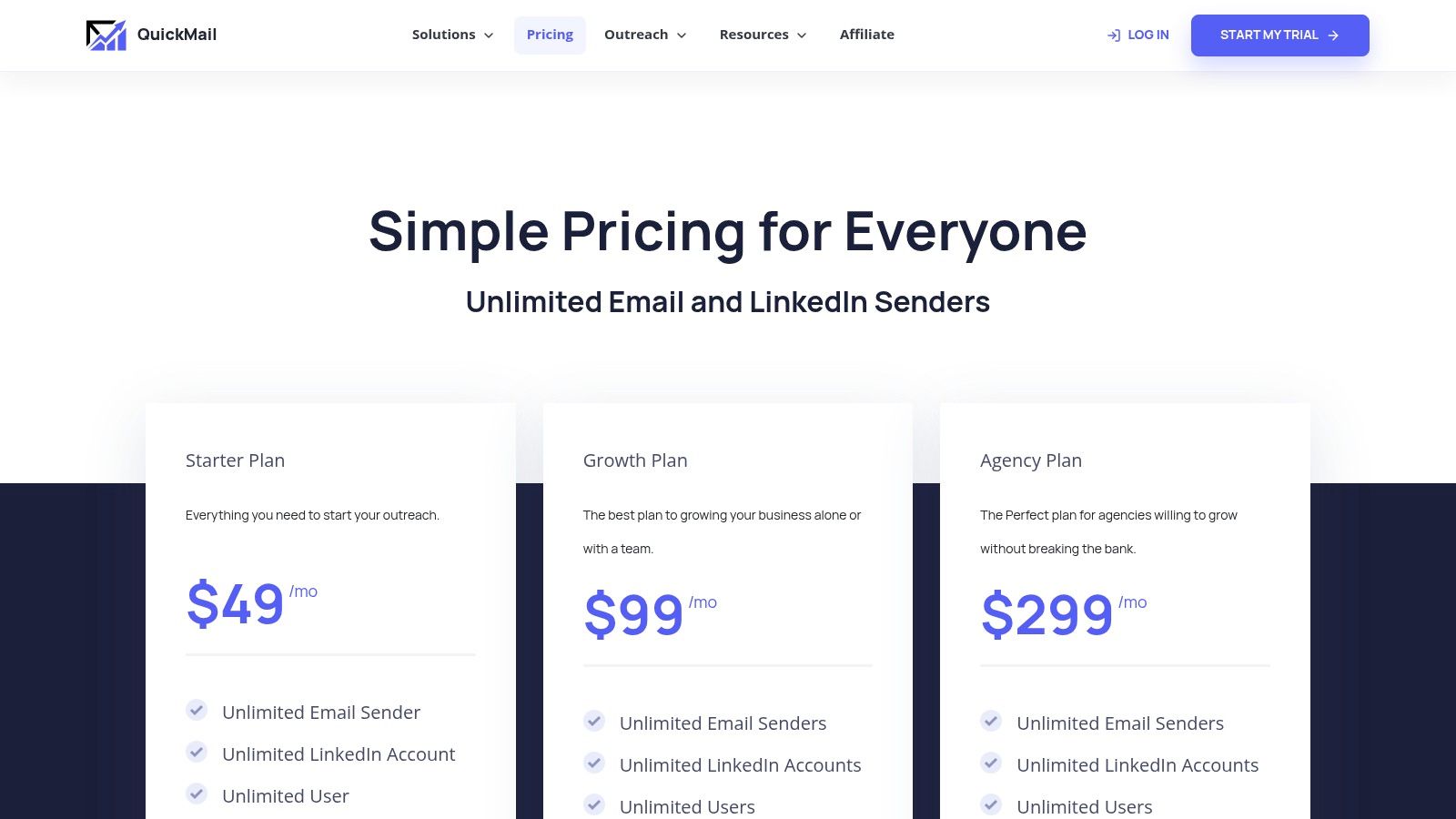
QuickMail is a strong agency option when the team wants to avoid per-seat charges. All plans include unlimited users and email senders, along with inbox rotation, API and webhook access, and Zapier integrations. That structure works for agencies managing several brands or client campaigns from one operating team.
The plan allowances focus on contacts and sends, which makes the commercial model easier to connect to campaign activity than a seat-based system. Operators can add users for client service, campaign review, or reply handling without automatically increasing subscription cost.
Low seat friction, higher data responsibility
QuickMail doesn't try to be a complete prospect database. Teams often pair it with a separate enrichment or list-building source, which gives experienced operators control over research quality. It also means the agency owns the data workflow, deduplication, verification, and segmentation process.
MailFlow provides free AutoWarmer support, while inbox rotation helps distribute activity across connected senders. Those features reduce some operational burden, but they don't replace authentication monitoring or mailbox-level diagnosis. If one provider shows a sudden increase in bounces or complaints, the team needs event data and a pause process that works outside simple send scheduling.
Delivered doesn't mean inboxed. Measure unique positive replies, qualified replies, meetings, bounces, unsubscribes, and pipeline contribution instead of treating opens as the main success signal.
QuickMail is best for agencies with their own data process and a preference for clear contact and send allowances. It's less suitable for teams looking for native enrichment, dialer depth, or a broad multichannel operating system. Review the current QuickMail pricing and compare its allowances with the volume you can support safely.
10. Apollo
Apollo combines B2B data, enrichment, sequencing, a dialer, an AI assistant, and a Chrome extension in one sales intelligence and engagement platform. For a founder or small SDR team, that consolidation can remove several handoffs. Reps can search for contacts, build lists, enroll prospects, and update pipeline workflows without switching between a database and a separate sequencer.
The platform's data scale is a central part of the buying decision. Enrichment and export credits govern how much of that data the team can use, so the subscription alone doesn't describe the operating cost. Fair-use policies and regional pricing should also be reviewed carefully before procurement.
The decision it forces
Apollo makes you choose between tool consolidation and pricing complexity. A team may save time by keeping data and engagement together, but it must understand credit consumption, export rules, enrichment limits, and the cost of adding more users or activity.
That model suits teams that want a broad sales workflow and can assign someone to manage usage. It's less attractive for an agency that already owns high-quality prospect research and only needs economical mailbox rotation.
Apollo also shouldn't be treated as a substitute for sending infrastructure governance. Operators still need authenticated domains, mailbox monitoring, bounce suppression, complaint controls, and campaign-level pause rules. The platform can simplify prospecting, but it doesn't make sender reputation someone else's problem.
Teams considering other data-led options can compare Apollo with these Apollo alternatives. Check the current Apollo pricing and verify totals for your region before committing. Apollo is a reasonable fit when reducing tool sprawl matters more than using a narrowly optimized email sender.
Top 10 Cold Email Software Comparison
| Platform | Core features ✨ | Deliverability & UX ★ | Value & Pricing 💰 | Target audience 👥 | Standout USP 🏆 |
|---|---|---|---|---|---|
| Instantly | Sequencer + built-in lead finder & enrichment, unlimited inboxes on sending plans, API | ★★★★☆, strong deliverability tools, Unibox, A/B testing | 💰★★★☆, scale-friendly pricing; credit meter adds complexity | 👥 Agencies/teams needing multi-domain scale | 🏆 Bundled DB + unlimited inboxes for volume |
| lemlist | Email + native multichannel (LinkedIn, SMS), 650M+ DB, Deliverability Hub | ★★★★☆, deliverability testing, unified inbox | 💰★★★, per-user can be premium; data credits | 👥 Teams consolidating outreach & data | 🏆 True multichannel platform with tight intent signals |
| Smartlead | Unlimited mailboxes, sender rotation, whitelabel, in-app domains/servers | ★★★★☆, deliverability add-ons, placement testing | 💰★★★, clear volume tiers; add-ons for infra | 👥 Agencies/white-label providers | 🏆 In-app procurement of domains/inboxes for fast scale |
| Mailshake | Sequencer with excellent usability, unlimited warm-up/verification, dialer (higher tiers) | ★★★★☆, easy UX, warm-up & verification included | 💰★★★, per-user pricing; quick infra add-ons | 👥 SMBs & mid-market sales teams | 🏆 Best UX + native dialer for SMBs |
| Woodpecker | Deliverability-first sequencer, pricing per contacted prospect, unlimited teams | ★★★★☆, deep deliverability toolkit & adaptive sending | 💰★★★★, predictable per-contact economics | 👥 Agencies wanting predictable volume costs | 🏆 Predictable volume billing + deliverability focus |
| Reply.io | Multichannel engagement, AI SDR features, in-product mailbox/domain shop | ★★★★☆, scalable multichannel; richer feature set | 💰★★★, flexible but add-ons per user raise costs | 👥 Teams scaling from email to full engagement | 🏆 AI SDR + built-in infrastructure purchasing |
| Klenty | SDR-focused engagement: email, dialer, SMS, Prospect IQ, coaching analytics | ★★★★☆, solid deliverability controls + coaching UX | 💰★★★, transparent per-user pricing; data credits | 👥 SDR teams & managers | 🏆 Coaching/QA + strong dialer features |
| Snov.io | Finder + verifier, campaigns, LinkedIn automation, enrichment tokens; free plan | ★★★☆☆, usable deliverability; multiple meters to manage | 💰★★★★, low-cost entry, free plan, credit meters | 👥 Small teams wanting single-vendor prospecting | 🏆 Affordable all-in-one prospecting & testing |
| QuickMail | Unlimited users & inboxes, inbox rotation, clear contact/send allowances | ★★★★☆, agency-friendly rotation & warm-up via MailFlow | 💰★★★★, no per-seat fees; clear allowances | 👥 Agencies & multi-brand setups | 🏆 Scales for agencies without seat tax |
| Apollo | Large B2B DB (240M+), sequencing, dialer, AI assistant, Chrome extension | ★★★★☆, good deliverability tools; integrated data → outreach | 💰★★★, credit model; pricing can be opaque | 👥 Teams wanting consolidated data + engagement | 🏆 Massive contact database + engagement stack |
Match the Platform to Your Team Before You Write Sequence One
Choose the platform in the right order. First, decide who owns the sending infrastructure. If your team creates domains, configures DNS, provisions mailboxes, manages warm-up, and reviews reputation internally, an email-first tool such as Instantly, Smartlead, QuickMail, or Woodpecker can make sense. If nobody has time to do that work, a platform with more bundled infrastructure or an outsourced operator may be safer.
Next, decide how many inboxes and users you need. Per-seat tools are easier for conventional SDR teams, especially when each rep owns a small set of accounts. Unlimited-inbox models suit agencies and operators managing multiple brands, but they still require mailbox governance. A platform won't protect your reputation if the team connects poorly configured accounts and scales sending before testing them.
Then compare per-seat pricing with per-contact pricing. Seat-based plans can be predictable when the team size is stable. Prospect-based pricing can align better with agency activity, but only when lists are clean and duplicates don't consume capacity. Contact and send allowances create a third model, where the subscription may look simple but expansion depends on campaign volume.
Finally, check whether data credits, enrichment, LinkedIn, and calling are bundled or metered separately. Apollo, Snov.io, Klenty, Instantly, and lemlist can all involve usage-based data decisions, while Reply.io, Klenty, and other multichannel platforms may increase cost as more channels are activated. Build a simple forecast that includes seats, inboxes, data, verification, domains, warm-up, placement tests, and the people handling replies.
A dedicated operations owner with in-house list building should shortlist two or three platforms and run a controlled pilot. Use real domains, authenticate them correctly, test placement where available, and hold the audience, offer, and sending conditions steady while changing one campaign variable at a time. Google recommends keeping the daily spam rate below 0.1% and preventing it from reaching 0.3% or higher, which makes complaint monitoring and campaign pause rules essential for serious operators (Google's sender requirements).
Teams without spare time for domain setup, prospect research, copy, launch, and reply handling may get better results from an agency such as Lead Printer. Lead Printer manages infrastructure, prospect data, personalized messaging, multichannel execution, qualification, CRM handoff, and reporting for B2B campaigns across the US, UK, and EU.
Pick one platform, define the metric that proves it works, and review that metric after the first full sending cycle. Use qualified replies, meetings booked, bounce rate, unsubscribe rate, and pipeline contribution as the decision signals. Don't let a high send count or inflated open report hide a campaign that produces no sales conversations.
Lead Printer builds and runs outbound campaigns with authenticated infrastructure, researched prospect lists, personalized email and LinkedIn messaging, reply qualification, and CRM handoff. If you want a team to own the operational work behind your cold email software, visit Lead Printer and discuss your target market and pipeline goals.